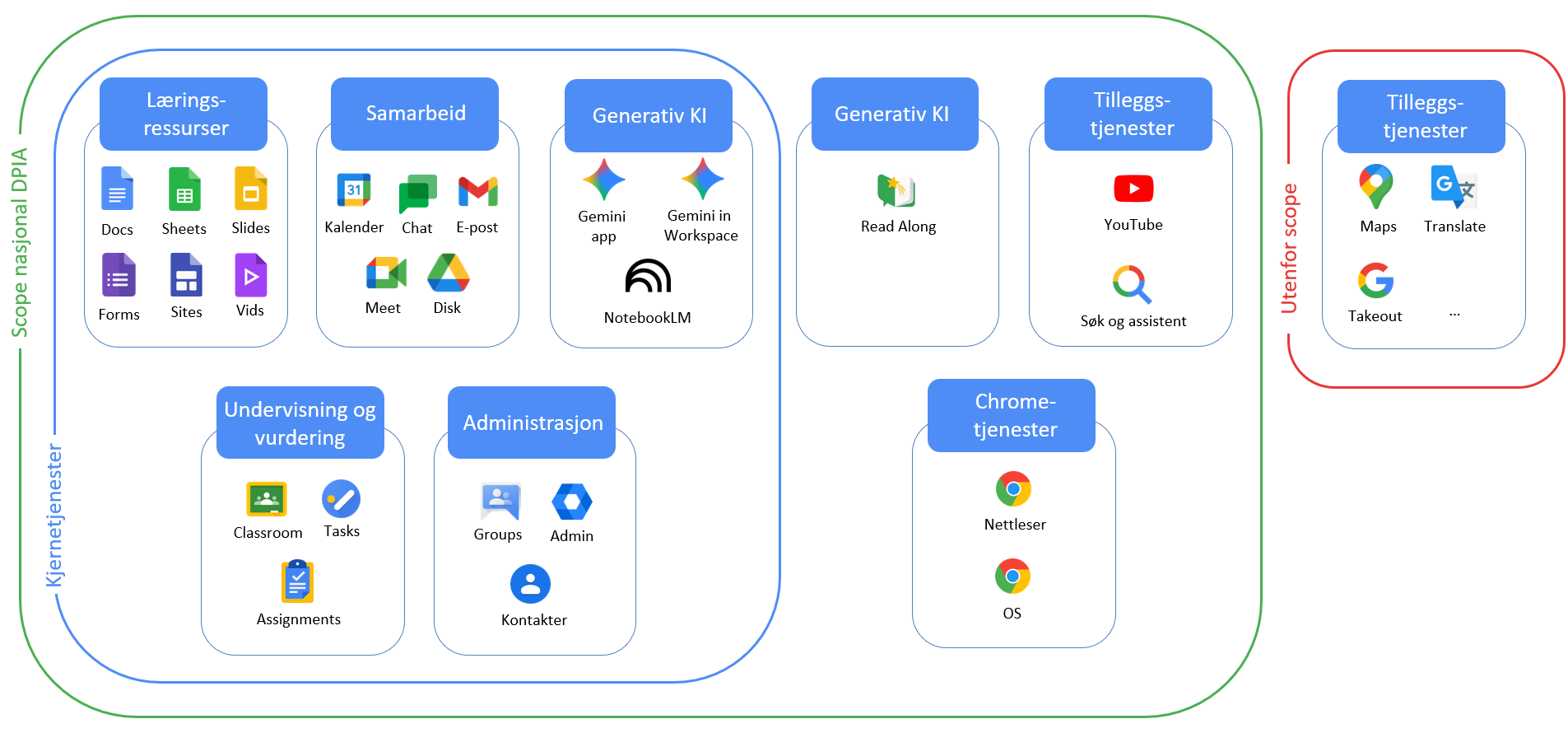
More on the individual applications that we will assess in the update of the Google DPIA:
1) “Gemini app” (the Gemini application in Google Workspace for Education)
Gemini is a standalone application that is part of the core services in Google Workspace for Education. It is a generative AI based on a large language model that users can use to generate text by prompting the model.
Gemini exists in two variants depending on the licence: Gemini Apps for the licences Education Fundamentals, Education Standard and Education Plus, and Gemini Apps for the Google AI Pro for Education licence. Both versions are part of the core services, and under Google AI Pro for Education, the school owner will have access to more functionality aimed at teachers.
2) “Gemini in Workspace”
These are AI components from Gemini that are integrated in the Classroom, Gmail and Workspace LTI (Learning Tools Interoperability) applications in Google Workspace for Education.
The Fundamentals licence does not include all of the AI integrations in the various core service applications that the Education Plus licence has.
3) “NotebookLM”
NotebookLM is its own application in Google Workspace for Education and is part of the core services. NotebookLM is an AI assistant. Google describes the application as a “research and thinking partner”, and further explains that the user can talk to the AI within a “walled garden” that contains trustworthy sources.
This is because you as a user can upload the sources you want to use in the solution, and then the AI will help you understand the content based on what you ask it through prompts. The AI provides sources as justification for its answers so that these can easily be verified by the user. The solution also includes an audio feature where the AI can create an audio file that summarises a topic.
4) “Read Along”
This is an application that helps students learn to read through an AI tutor. The AI tutor “talks” to the students via audio. Read Along also has an integration with Google Classroom that allows teachers to assign reading tasks in Classroom and receive AI-generated insights into students’ reading progress.
How do you use the AI features in Google Workspace for Education? Are there any you’re missing? Tell me by replying to this email!
I wish you a wonderful, privacy-friendly week-end!
Best regards,
Ida Thorsrud
Project manager national DPIA
This newsletter was translated from Norwegian to English with assistance from ChatGPT by OpenAI. While it guided our translation, we made independent editorial choices. Any discrepancies result from this combined approach.